Teleprompter for presentations
Your speaker notes, right next to the camera. Present slides, run webinars and give talks online without looking down at a second screen.
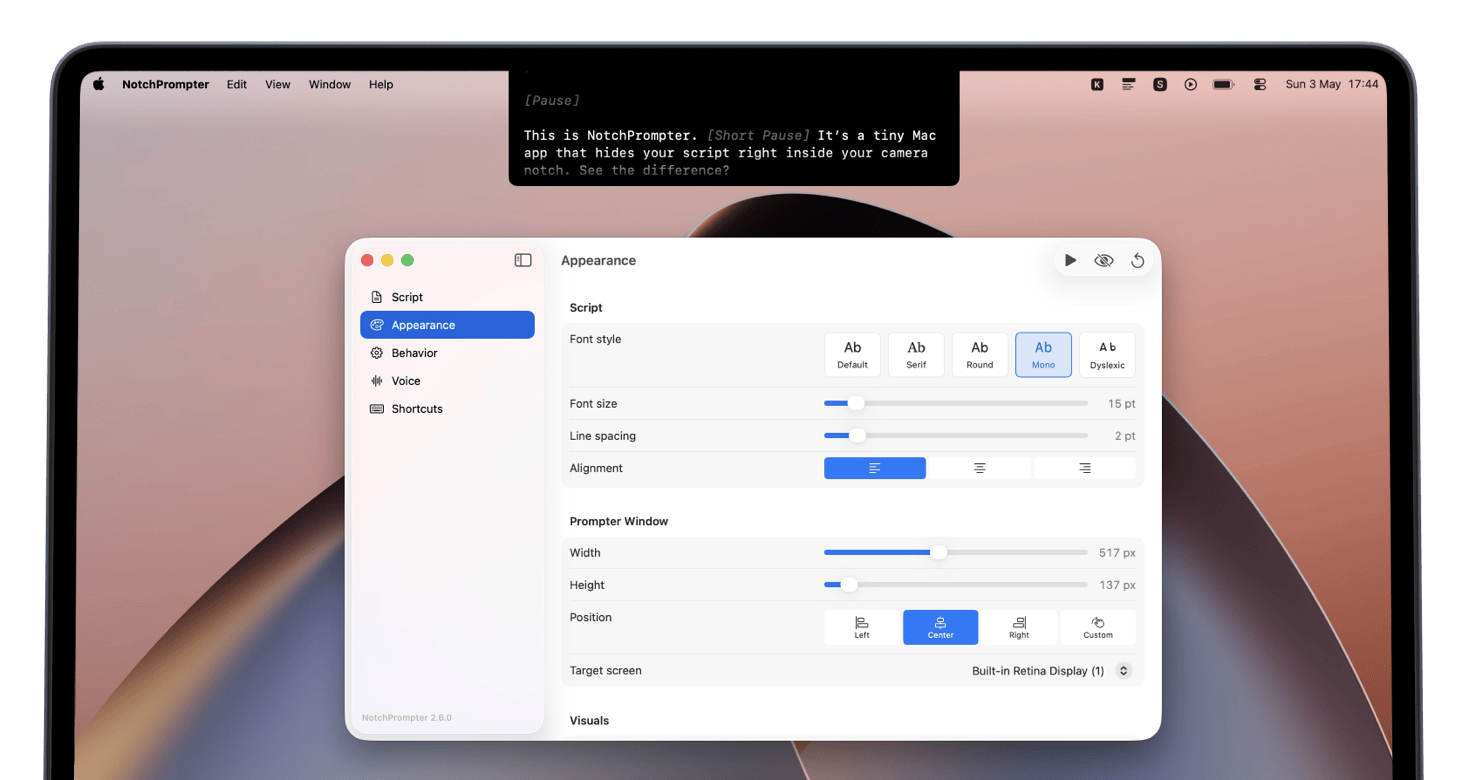
Speaker notes where your audience can't see them
When you share your screen to present slides, the usual choice is between a cluttered presenter view or notes on a separate monitor. NotchPrompter adds a third option: a small prompter at the top of your screen that is invisible to screen sharing and recording. Your audience only sees your slides.
Eye contact with your audience
Because the text sits in the notch area, next to the built-in camera, you can read your notes and still look into the lens. It is the closest thing to a real teleprompter that you can get on a laptop.
Built for live speaking
- Voice activation scrolls the notes as you speak and pauses during questions.
- Global keyboard shortcuts let you control the prompter while your presentation app is in focus.
- Multiple screens: place the prompter on the display that has your camera.
- Put it anywhere: the notch, any corner, or a floating window.
- Dark and light themes to match your setup and lighting.
When to use it
- Webinars and online workshops
- Conference talks delivered remotely
- Pitch meetings and investor updates
- Online lectures and training sessions
- Rehearsing a talk before you give it on stage
Notes, not a script
For live presentations, keep only the key points and transitions in the prompter. Reading a full script word for word on a live call usually sounds flat. See how to use a teleprompter for more advice, or the teleprompter for video calls page if you mostly present in meetings.