NotchPrompter.app
Your teleprompter,
hidden in the notch
Free macOS teleprompter that sits in your notch area; completely invisible to screen recording and all screen sharing apps.

macOS Sonoma or newer · Apple Silicon & Intel · MIT License
Open-source - view code on GitHub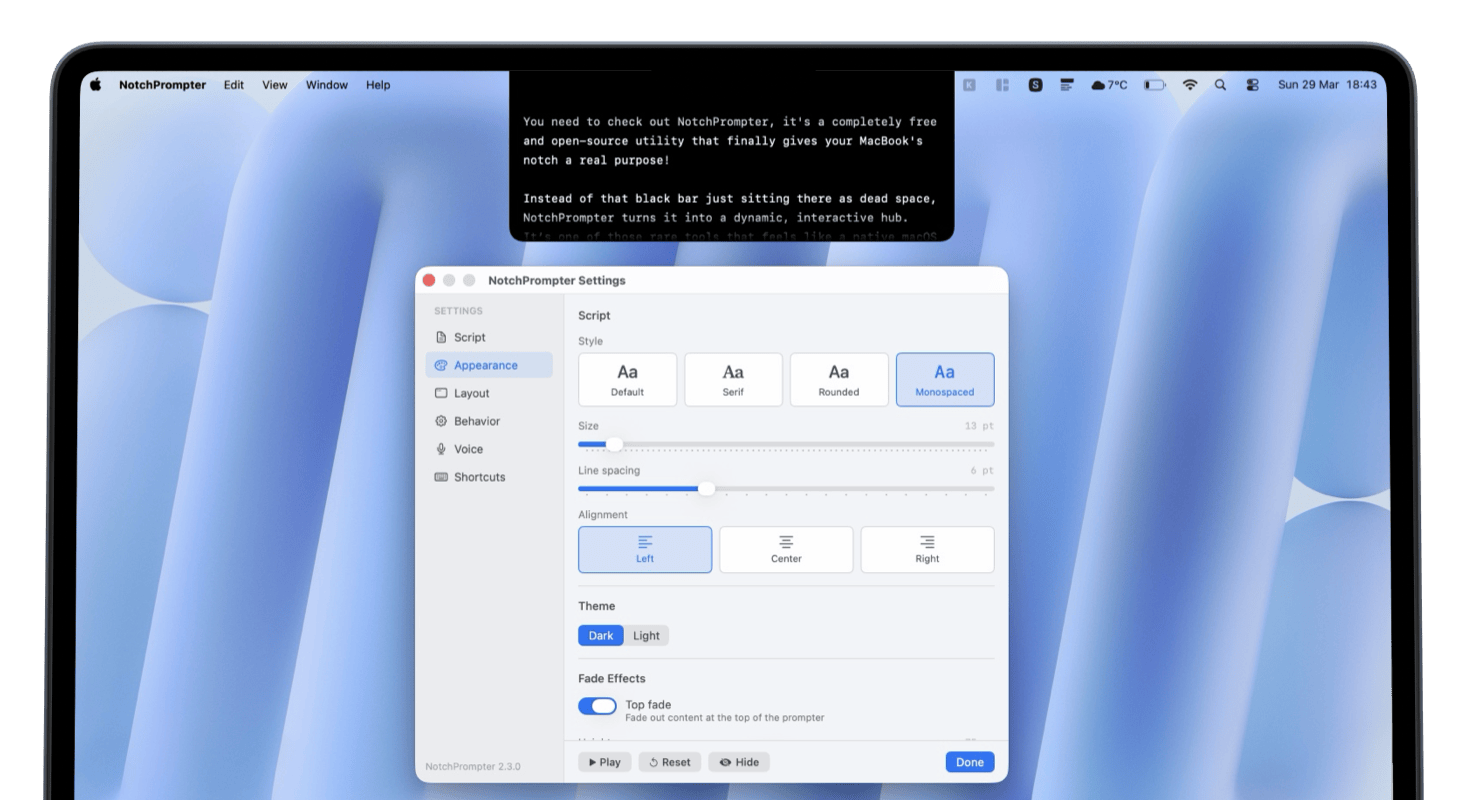
Perfect for
Built for simplicity
Everything you need to stay on script. Nothing you don't.
Invisible to recording
Won't show up in screen recordings, Zoom, Meet, or any screen sharing tool.
Voice activation
Control scrolling with your voice. Keep your hands free for gestures.
Fully customizable
Adjust speed, text size, and font to match your reading pace.
Multiple screens
Works with multi-monitor setups. Place your prompter on any display.
Dark & light themes
Matches your macOS system appearance automatically.
Open-source & free
100% free, forever. MIT licensed. Fork it or contribute.

Made in Poland by a real human
Hi, I'm Jakub
I'm terrible at recording videos; I always forget what I want to say. There are prompter apps for iPhone and iPad, but the setup and copy‑pasting felt way too tedious. So I built a native Mac solution that sits right in the notch to help you keep eye contact with the camera.
It's simple, it works well, and I'd love for you to try it, share feedback, or even contribute to the code.
Thanks!
Frequently asked questions
Everything you need to know about NotchPrompter.
Is NotchPrompter free?
Does it show up in screen recordings or screen sharing?
What macOS version do I need?
Does it work with external monitors?
Do I need a MacBook with a notch?
How does voice-activated scrolling work?
Ready to try it?
Get NotchPrompter and never lose your talking points again.
macOS Sonoma or newer · Apple Silicon & Intel · MIT License
Open-source - view code on GitHub